
2. Agents
2.2 Agent versions
Agent versions is every agent Gateway knows in one table: the build on this machine, the release its package manager publishes, and whether the two differ.
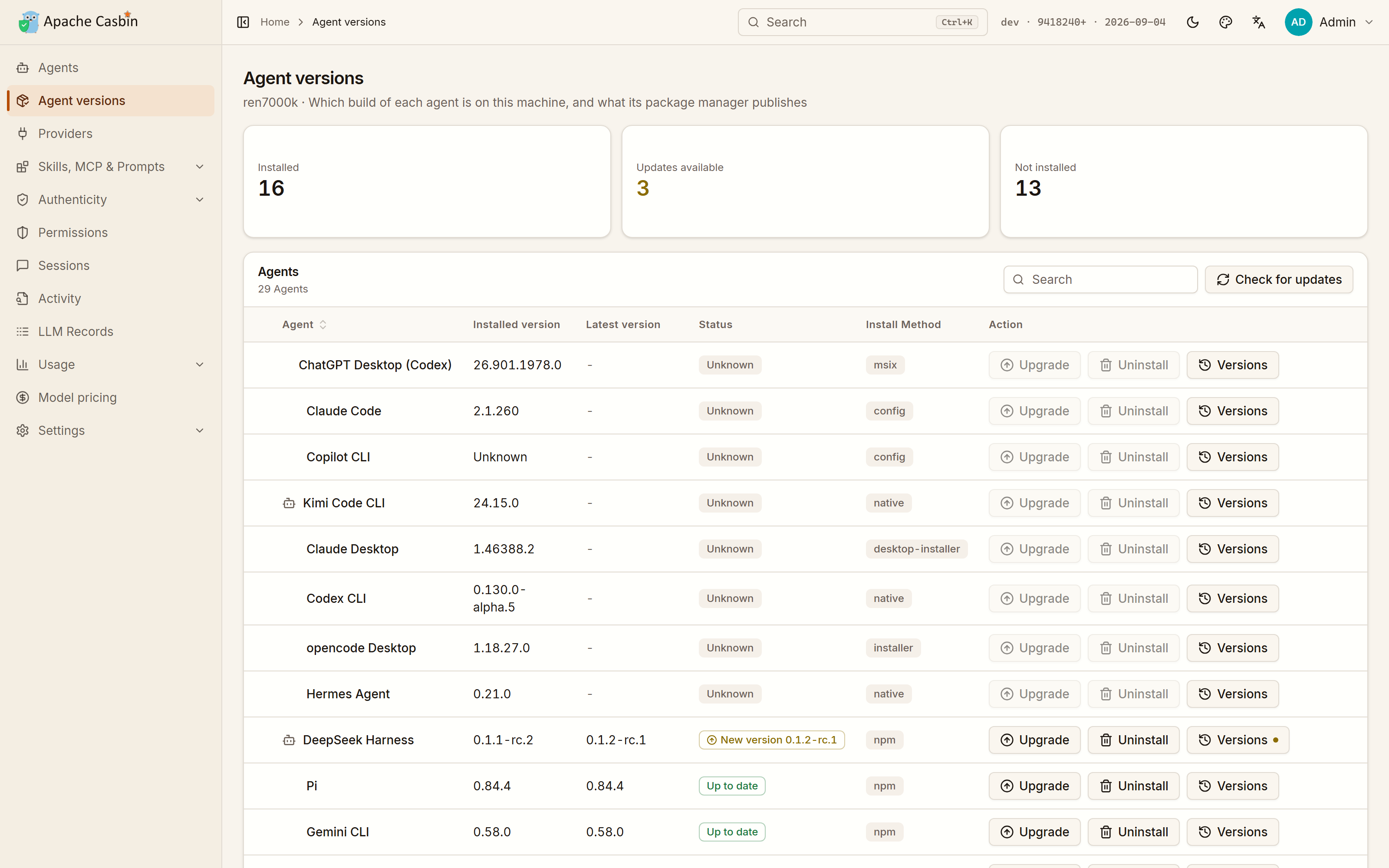
From the row an agent is on:
| Action | What happens |
|---|---|
| Install | Installs it through the package manager this machine already has |
| Upgrade | Moves it to the release its manager publishes |
| Rollback | Puts it back on any older version that manager still publishes — for when an update broke something |
| Uninstall | Removes it, leaving the agent's own sign-in and history where they are |
One click, whichever way the agent was installed.
How each agent is installed
Gateway uses whatever that agent is actually distributed through:
| Route | Examples |
|---|---|
npm | Claude Code, Codex CLI, Gemini CLI, Cline, Qwen Code, opencode |
brew | Cursor, Windsurf, Zed, goose, Trae |
winget | Claude Desktop, Kimi Code CLI, Crush, opencode Desktop |
| Microsoft Store | ChatGPT Desktop |
| self — the agent's own updater | Codex CLI, Cursor Agent, Hermes Agent |
| script — the vendor's own install command | Cursor Agent, Claude Code |
An app that arrived as a setup program is removed with the uninstaller it registered with Windows. Everything else is a download from its vendor's page, which Gateway names rather than automating.
What you see while it runs
- The command is shown before it runs, so nothing happens on this machine that you did not read first.
- The row carries its progress while it runs.
- Everything it printed is a click away on the row, which is where a failed install explains itself.
Which installations have an update waiting
The table is also the answer to "what is out of date here": Gateway compares each installed build against the release its manager publishes and marks the rows that differ. The Agents page carries the same mark on the card.