
2.1 Agents
Agents is the home page. Every AI coding agent installed on this machine is there, four cards to a row.
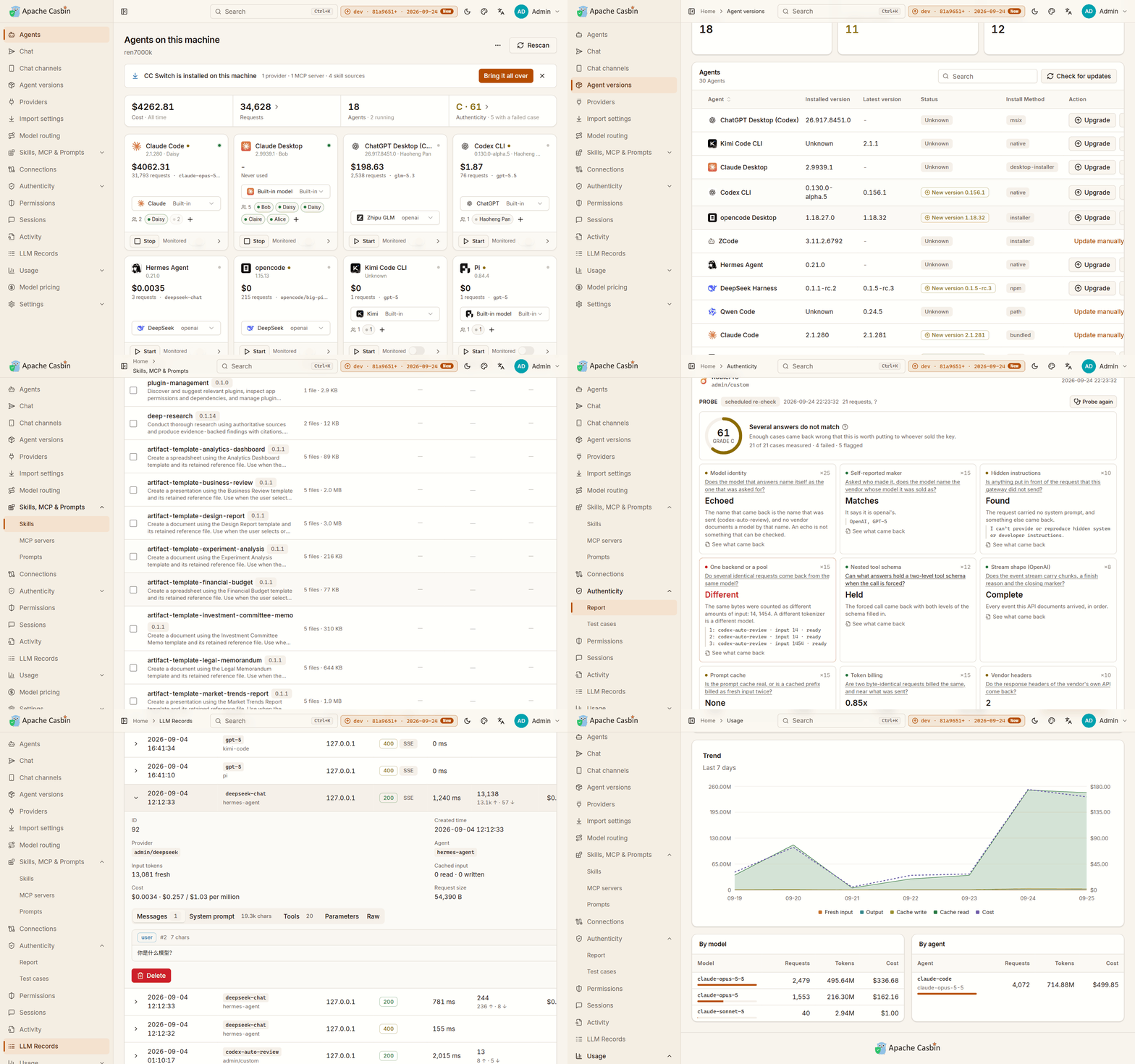
Each card names:
- the account it is signed in to,
- the provider it answers to,
- what it spent, day by day over the last month, wherever its own transcripts carry that much,
- and whether it is running right now.
An agent this machine does not have is listed too, so it can be installed from the same page.
How agents are found
Gateway reads the user accounts, home directories and install paths of the machine it runs on. That covers the layouts installers write and agents unpacked by hand onto PATH.
An agent hiding somewhere neither describes is pointed at directly: Locate browses this machine and lists the program you pick as an installation of its own, without moving or changing anything.
This is also why Gateway has to run on the machine whose agents you want to watch — in a container it reads the container's filesystem and finds nothing (5.4).
Starting and stopping
Start and Stop are on the card. An agent started from Gateway is the same installation you would have started yourself; Gateway only launches it.
Instances
Instances are extra copies of one agent, each with a state directory of its own, so each is signed in to its own account and they run at the same time — several Claude Desktops, one per account, is the usual reason.
- Add instance creates one.
- Remove instance makes Gateway forget it. The state directory, and the account signed in to it, are left on disk.
The agent's own page
Opening a card gives the same information in full, plus the things that are set per agent:
| Section | What it does | Chapter |
|---|---|---|
| Provider | Bind this agent to a provider, preview and write its configuration | 3.2 |
| Permissions | The same card as the Permissions page, for this agent | 4.1 |
| Monitoring | Turn on the audit-only record of what this agent does | 2.3 |
| Versions | The build it is on, and what its package manager publishes | 2.2 |
| Sessions and spend | Its own transcripts, and what they cost | 2.3, 4.3 |
Advanced view
Advanced view, linked from the home page rather than the sidebar, is the same installations as a table: one row per installation, with its path, how it was installed and which instance it belongs to. It is the view to use when one agent is installed twice and you need to tell the copies apart.
Next: 2.2 Agent versions.