
1.3 The interface
Everything is at http://localhost:17000, in the desktop window or in a browser. The sidebar is the whole product, in the order you would set it up: the agents, the models behind them, the gates they pass through, then what they ran and what it cost, with settings last.
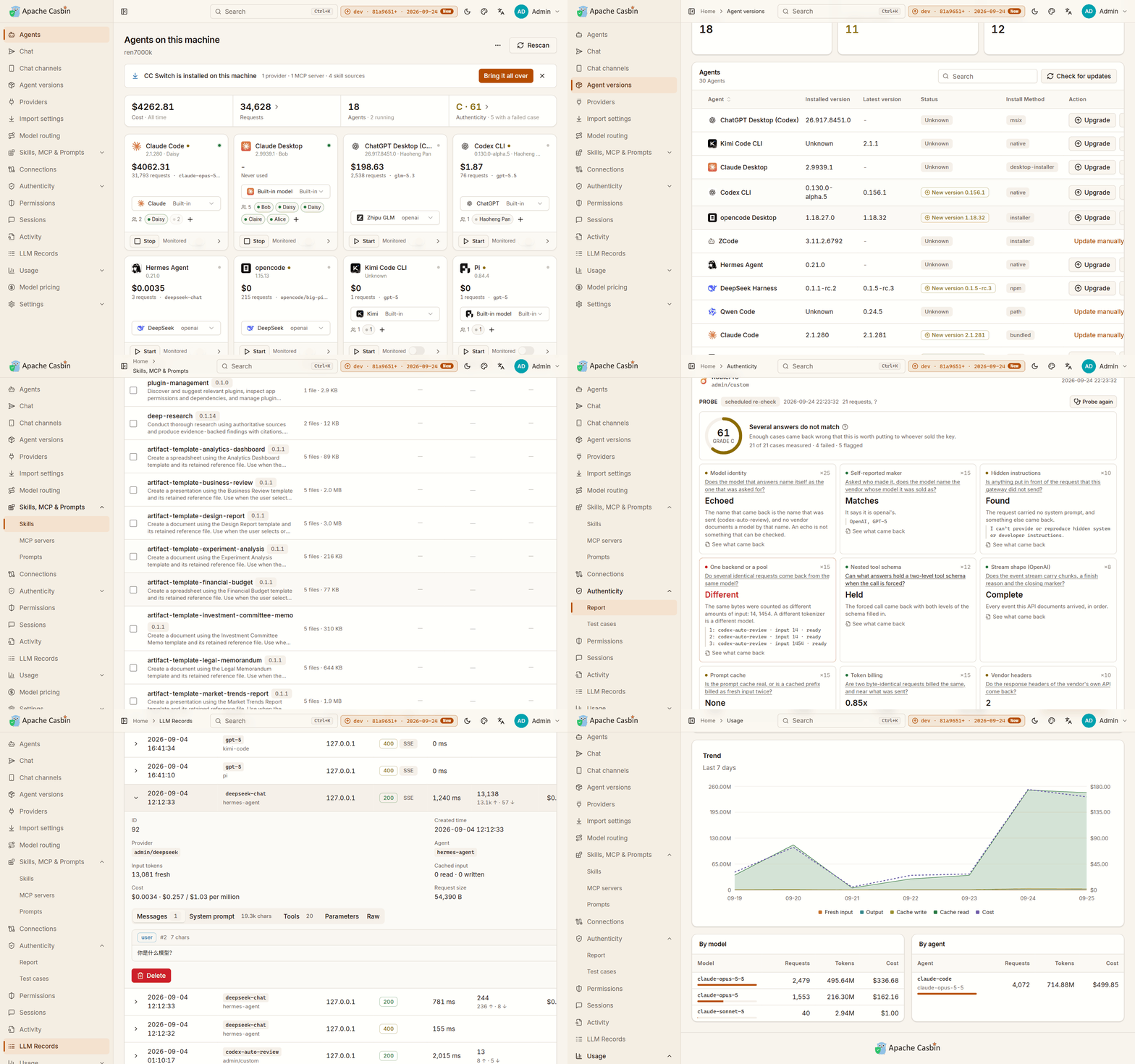
The sidebar
| Page | What it is | Chapter |
|---|---|---|
| Agents | Every agent on this machine, four cards to a row | 2.1 |
| Chat | Hand an agent a message and watch it work | 2.6 |
| Chat channels | Talk to an agent from Telegram or WeChat | 2.7 |
| Agent versions | Installed build against published release, for every agent Gateway knows | 2.2 |
| Providers | One endpoint in front of your model vendors | 3.1 |
| Import settings | Bring a ccswitch:// link, or a CC Switch installation, over | 3.5 |
| Model routing | Which model each request is really sent, and what it degrades to | 3.6 |
| Skills, MCP & Prompts | Every skill, MCP server and instruction file of every agent, in one table | 2.4 |
| Connections | Connect an application once and write it into whichever agents you pick | 2.5 |
| Authenticity | Is the API behind that key what it was sold as — a score and a grade per provider | 3.4 |
| Permissions | What each agent may do, enforced on every relayed request | 4.1 |
| Agent Sessions | Every session those agents have had, read from their own transcripts | 2.3 |
| Agent Records | What a monitored agent is doing as it does it | 2.3 |
| LLM Records | Every request Gateway relayed, in full | 4.2 |
| Usage | What every agent spent, including what never went through Gateway | 4.3 |
| Model pricing | What a million tokens costs, which every figure on Usage is worked out from | 4.3 |
| Settings | Everything configurable, stored in the database | 5.1 |
A page with tabs or sections contributes them to the sidebar under its own name, so the rail lands on the test cases, the MCP servers or the security settings rather than only on the top of the page they are on.
Getting around
- ⌘K, or Ctrl+K, opens a search box over whichever page you are on: every page by name, and every agent and provider on this machine. It is how you reach one of thirty providers without paging through the list.
- The breadcrumb names the page and the section within it, from the same tree the sidebar is built from.
- The header switches the UI between light and dark, between three palettes — Amber & Ink, Terminal and Indigo — and between English and Chinese.
The version in the corner
The top-right corner carries the version Gateway is running and the date it was built, and says New when the published build is a later one. Opening it and pressing Update now updates Gateway in place — see 5.5 Updating, stopping and removing.
Where agents come from
Agents are found by reading the user accounts, home directories and install paths of the machine Gateway runs on. Run it on the machine whose agents you want to watch; a container sees only its own filesystem (5.4).
Next: 1.4 Quick start.